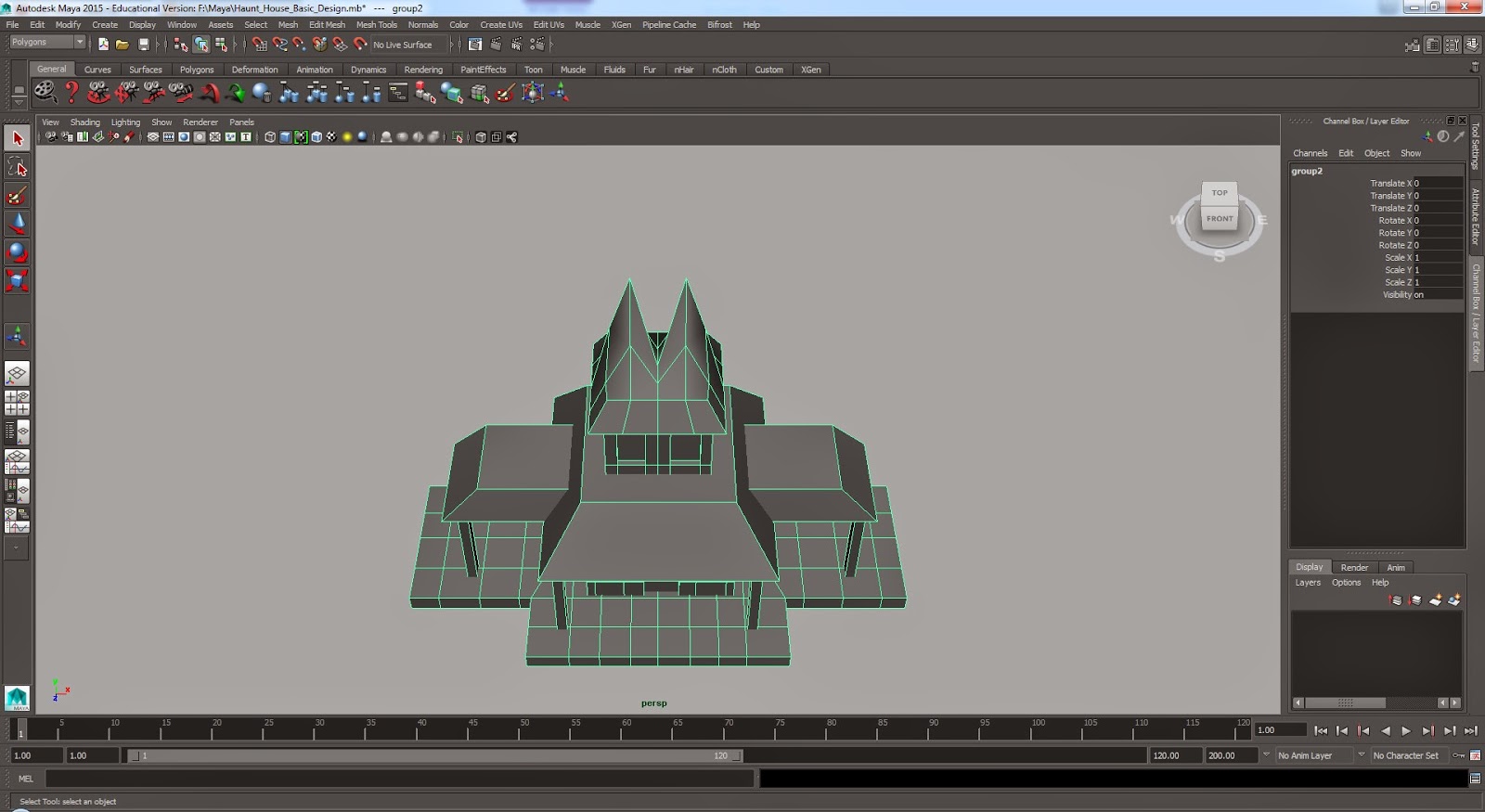
Now I've duplicated the house model and used the copy to experiment with. I made changes to the shape of each part of the house to mach it to my concept drawings, and I think I've achieved this quite well as the model made on Maya strongly resembles the artwork designed.
I started by duplicating the first model, as I want to keep the original to copy from again.
Then I inserted more edges with the edge loop tool. By doing this I created more vertexes allowing me to select one and re-position and altar the overall shape of the house bit by bit.
The top windows are positioned to be eyes, and so by selecting the vertexes I manipulated the shape to create a more expressive shape to convey emotion.
For some parts of the house I had to make the model transparent so I could reach the vertexes not visible. Then I altered the roof to create a set of devilish horns, just like in my concept art.
Monday, 9 February 2015
Haunted House Built on Maya
I've been finding it difficult to create accurate diagrams of the design of the house. I've designed a house that I will alter to make it express different emotions, but first I needed a clear visual image to work from. So on Maya I built a very simple house to show what this house looks like without pulling a facial expression.
Thursday, 5 February 2015
Playing in Mudbox
In Mudbox I found you can start with shapes and figures and sculpt from them. One of the examples was a human figure, but I thought the figure was masculine, so I experimented to make the male figure into a female figure. I tried to remember what I learnt in life drawing, about the anatomy of the human body. This is how it went so far, and I may go back to it to add more.
![]() |
| Mudbox default figure- before I began sculpting. |
![]() |
| I pulled in the waist to bring out the hips and create a more feminine shape. |
![]() |
| To create curves I used the bulge tool, which brought out bulges and bumps in the model, but the surface was crooked and not neat like skin. |
![]() |
| So I found the smooth tool that smoothed out any harsh edges and made the model look over all more natural. |
![]() |
| After I used smooth tool. |
![]() |
| What I've achieved on my first day using Mudbox. |
Script to Screen- Character Design of Dentist
After the second OGR I was advised to neaten my work to make it clearer and simpler. Though my character is simple I designed him in clear detail for anyone to understand. I started by showing different views of him.
Here I experimented with different emotions on my character's face. I found that using his mustache is a good aspect of express his feelings. With my character I don't really want his mouth to be seen, like Gromit from 'Wallace and Gromit.' I feel that this makes him appear as a calm character, something that contrasts strongly with the character of the house.
Wednesday, 4 February 2015
Subscribe to:
Posts (Atom)